2026-04-18 · By Reuben Lopez · Estimated 15 min read
Building a Local E-Commerce Engine: How Dayton Shops Can Start Selling Online
You've got a physical store. You're doing fine. People walk in, they buy stuff, you ring it up on the register.
Then someone tells you: "You need to sell online. You're leaving money on the table."
And you think: Inventory management? Payment gateways? Digital marketing? That sounds like starting a whole new business.
Here's the truth: It doesn't have to be that complicated.
Building an online store is just taking what works in your physical shop and automating it. Same products. Same pricing. Same customers. Just a different sales channel.
The trick is doing it systematically, so your online store runs as smoothly as your cash register, without requiring you to become a software engineer.
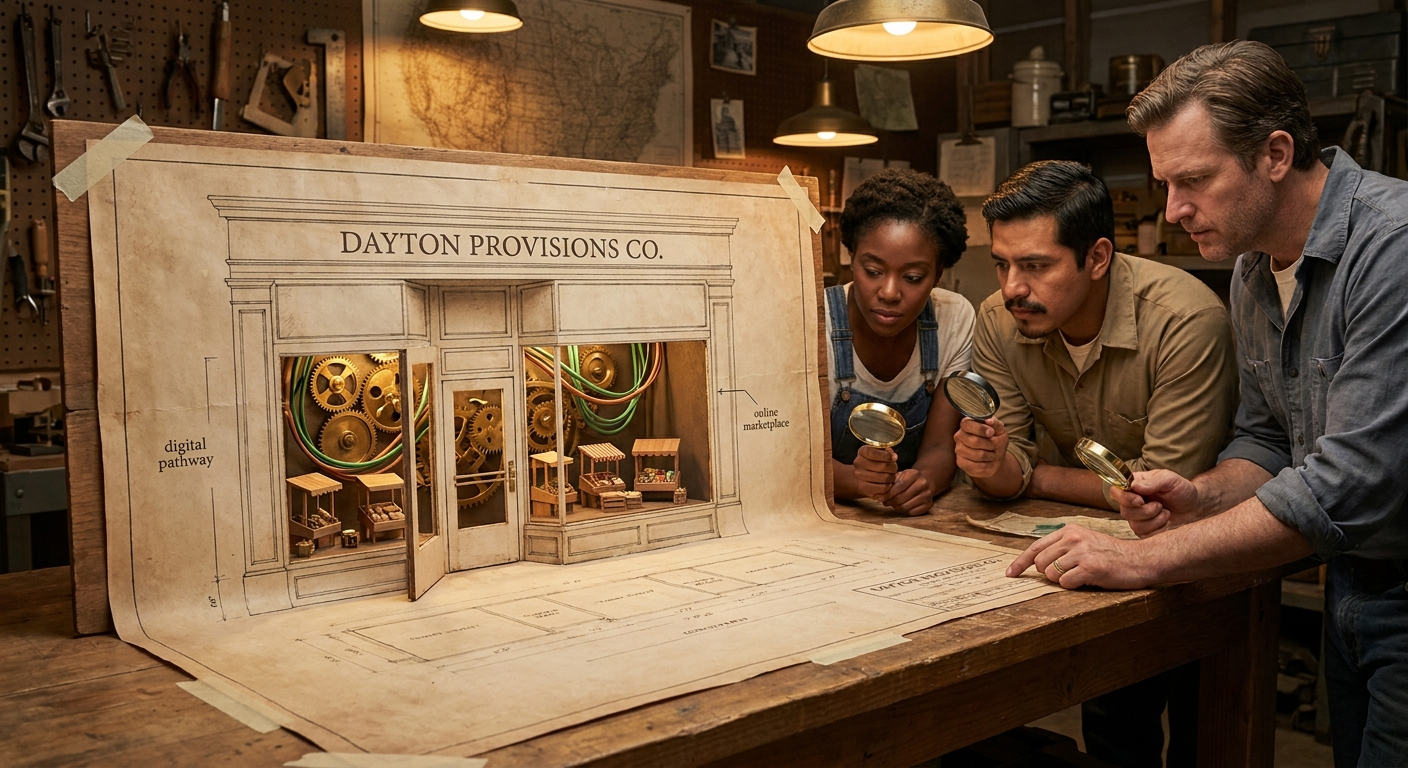
Why Dayton Shops Are Missing Out
The problem isn't complicated. It's that most e-commerce resources are built for startups and big brands, not for established local shops.
They assume you're starting from zero. They overwhelm you with features you don't need. They make it sound like you need a team of developers, marketers, and logistics experts.
You don't.
What you need is a system. A framework. A way to take your existing business and add an online sales channel without blowing up what's already working.
The Four Pillars of a Working E-Commerce System
Every successful online store has four foundational pieces. If even one is broken, your whole system fails.

Pillar 1: The Storefront (Your Website)
This is the digital version of your physical shop.
Your storefront needs to:
- Display your products clearly (photos, descriptions, prices)
- Make it stupidly easy to buy (add to cart, checkout in 3 steps, not 15)
- Process payment securely (Stripe, Square, PayPal; not sketchy third-party services)
- Work perfectly on mobile (50%+ of online shoppers use their phones)
- Rank in search (people should be able to find you when they search for your products)
Most shop owners assume they need a "fancy" store. They don't. They need a functional store.
A bookstore owner doesn't need animated page transitions. They need clear photos of book covers, accurate descriptions, and a checkout button that works.
A boutique clothing shop doesn't need parallax scrolling. They need high-quality photos from multiple angles, size information, and an easy way to buy.
Your storefront should do one thing: show your products and make buying them effortless.
Pillar 2: Inventory Management (Knowing What You Have)
This is where a lot of online stores fall apart.
You sell something online. But you don't update your inventory in real time. So you sell the same item twice: once to your online customer, once to someone walking into your physical store.
Now you have an angry online customer, an angry in-store customer, and a refund problem.
A working e-commerce system automatically syncs inventory across your online store and physical location (or at least alerts you when stock is low).
Here's what you need:
- Single source of truth. One place where your inventory lives (not Excel spreadsheets or mental notes)
- Real-time updates. When you sell something in the store, your online inventory drops instantly (or at least same-day)
- Low-stock alerts. You get notified when something is running low, so you can reorder before you run out
- Simple backend. You can update inventory from your phone, not from some complicated admin panel
- Connection to point-of-sale. If you have a physical register, it should sync with your online store (most modern POS systems can do this)
Without inventory management, you're flying blind. With it, you know exactly what you have and can confidently sell it online.
Pillar 3: Shipping & Fulfillment (Getting It to Them)
This is the part that intimidates shop owners most.
"How do I ship stuff? I've never done this. Do I need to rent a warehouse? Hire someone?"
Nope.
You handle shipping the same way you already do for anything: you pack it, print a label, and hand it to the post office or UPS. The e-commerce system just automates the paperwork and tracking.
Here's the minimum you need:
- Shipping calculator. Your store calculates shipping costs based on weight, dimensions, and destination
- Carrier integration. You can print USPS, UPS, or FedEx labels directly from your store (not manually)
- Tracking. Customers get tracking numbers and can follow their package in real time
- Address validation. The system confirms the address is real before you ship (prevents "return to sender" nightmares)
That's it. You don't need a warehouse. You don't need a fulfillment service. You just need a system that handles the logistics automatically.
A real example:
A vintage shop in Dayton started selling online. Their first week, they had 8 orders. They spent two hours manually looking up shipping costs, writing them down, and creating labels in an outdated system. With proper shipping integration, that would have taken 15 minutes. Now they can handle 50 orders a week with minimal extra work.
Pillar 4: Payment Processing (Actually Getting Paid)
This is the part that has to work perfectly, or your whole business fails.
You need a payment system that:
- Accepts major cards (Visa, Mastercard, American Express, Discover)
- Accepts digital wallets (Apple Pay, Google Pay, growing fast)
- Processes securely (PCI compliant, encrypted, safe)
- Deposits money to your bank account (usually within 1-2 business days)
- Handles refunds automatically (customer disputes, returns, etc.)
- Provides clear reporting (you can see all transactions, disputes, refunds)
The good news: this part is easy. Stripe and Square handle 90% of online businesses and make it dead simple.
The bad news: if you get this wrong, you don't get paid. So it has to be right.
What you don't want:
- ❌ Some cheap payment processor that deposits once a month
- ❌ A system that doesn't handle refunds automatically
- ❌ A gateway that charges high fees (you're giving away 3-5% of every sale, which adds up)
- ❌ Manual payment processing (don't do this)
What you do want:
- ✅ Automatic payment processing (customer buys, you get paid same day or next day)
- ✅ Clear fee structure (you know exactly what you're paying)
- ✅ Fraud protection (the system catches scams before they cost you)
- ✅ Easy refund process (customer has a problem, you refund them, no fighting)
The Complexity Myth (It's Simpler Than You Think)
Here's the thing about e-commerce that nobody tells you: it looks complicated because most platforms are built for everyone.
They offer 500 features so companies like Amazon can use them. You need maybe 20.
What you actually need for a local shop:
- Product catalog (display your products)
- Shopping cart (let people buy)
- Checkout (take their money)
- Inventory management (know what you have)
- Shipping integration (get packages to them)
- Order management (see what sold)
- Customer management (know who bought what)
- Analytics (see which products sell)
- Email notifications (confirm orders, shipping updates)
- That's it.
You don't need:
- ❌ Multi-vendor marketplace
- ❌ Subscription management
- ❌ Advanced affiliate programs
- ❌ Warehouse management software
- ❌ A B2B portal
- ❌ 500 other features you'll never use
Strip away the noise, and e-commerce is simple.
How We Build Local E-Commerce Systems
When we build an e-commerce store for a Dayton shop, we use this process:

Step 1: Understand Your Current Business (2-3 hours)
- What do you sell?
- What are your top products?
- What's your current pricing?
- How do you currently handle inventory?
- What's your current shipping process?
- Who are your customers?
- What problem does selling online solve? (More customers? Different markets? Convenience?)
We're not starting from scratch. We're automating what you already do.
Step 2: Choose the Right Infrastructure, Then Build on Top of It
Most agencies stop at installing a platform. They hand you a Shopify theme or a WooCommerce plugin and call it done. You're left with a generic storefront you don't fully understand, locked into someone else's dashboard, with no real visibility into what's happening in your business.
We do it differently.
We use the APIs from best-in-class platforms: Shopify for physical product catalogs, Stripe for payments and subscriptions, as the infrastructure layer. That means we're not reinventing secure payment processing or PCI compliance from scratch. We're standing on proven, battle-tested engines and building a custom systems layer on top.
What that looks like in practice:
- Custom dashboards. Instead of squinting at Shopify's built-in admin, we pipe your data into a clean, white-labeled dashboard that shows exactly the KPIs you care about, formatted the way you want them, in your brand.
- Real-time alerts. Using Shopify and Stripe webhooks, we build automated notification systems: a Slack alert when a large order comes in, an SMS when inventory hits a threshold, a live sales board your team can pull up on any screen.
- Custom analytics. Shopify's GraphQL API lets us query specific business intelligence, like average order value by region or conversion rates by product category, that you'd never find in a standard dashboard. Stripe's Reporting API gives you real financial data: MRR, churn, and failed payment recovery.
- Data sovereignty. For clients who want full ownership of their data, we sync everything into a self-hosted database. Your customer records, order history, and financials live on your infrastructure, not inside a platform you're renting.
Shopify vs. Stripe: which infrastructure we reach for
The choice depends on what you're selling. Shopify's infrastructure is built for physical retail: product catalogs, inventory across locations, shipping and discount engines. Stripe is built for services, digital products, and subscriptions, where you need a highly custom checkout flow that Shopify's rigid cart process can't accommodate.
What about WordPress?
If you're already on WordPress, we use the WooCommerce REST API the same way, piping its webhooks into the same automated workflows so your store gets the same level of sophistication regardless of the underlying platform.
The result: you get the reliability of enterprise-grade infrastructure with a system that's actually built around how your business operates. Not a theme someone installed. An automated operations center.
Step 3: Set Up the Four Pillars
Storefront: We design it to show off your products and make buying easy. Fast loading. Mobile-friendly. Clear product photos. Simple checkout.
Inventory: We connect your store to your point-of-sale system (or set up a simple admin panel you can manage). Your inventory stays accurate.
Shipping: We integrate with USPS, UPS, or FedEx. You print labels from your store. Customers get tracking. Everything is automatic.
Payments: We set up Stripe or Square. Secure. Fast. Money hits your account the next day.
Step 4: Train You
You shouldn't feel helpless when we're done. We show you:
- How to add new products
- How to manage orders
- How to handle returns and refunds
- How to see what's selling
- How to update inventory
- How to handle customer questions
It's not complicated. Most shop owners figure it out in a day or two.
Step 5: Monitor & Optimize
We don't hand it off and disappear.
We monitor:
- Is the store running smoothly?
- Are orders coming in?
- Are people abandoning their carts? (We fix the checkout)
- Are there technical issues?
- What products are selling? (We highlight them)
- Where are visitors coming from? (We double down on what works)
The Obstacles You'll Hear (And Why They're Wrong)
"E-commerce is too complicated."
It's not. The four pillars are straightforward. Don't confuse "lots of options" with "complicated." You only need a few.
"I don't have time to manage inventory online and in-store."
You don't have to manage it twice. You set it up once, and it updates automatically. An hour of setup saves you 10+ hours per month going forward.
"People in my area don't buy online."
Wrong. 75% of Americans bought something online in the past month. Dayton is no exception. People are buying. You're just not there yet.
"I'll lose foot traffic if I sell online."
You'll actually gain it. People who find you online often visit your physical store too. Online sales are additive, not subtractive.
"The fees are too high."
Payment processing fees run 2.2–3% for most shops. If you're operating at a 25% margin, fees eat 8–12% of profit. But 8–12% of profit still beats 0% from not selling to customers who would only buy online.
What Happens Next
If you're a Dayton shop ready to start selling online:
Step 1: Audit
We look at your current business. What's working? What's holding you back from online sales?
Step 2: Strategy
We outline a plan. What products do you start with? What integrations does your business need? What's the timeline?
Step 3: Build
We build a custom storefront, set up inventory, integrate shipping, and connect payments, all wired together with APIs built around your workflow. You review and approve every step.
Step 4: Launch
You go live. You start taking orders. We're there if you need help.
Step 5: Grow
We optimize. Track what's working. Double down on winners. Fix what's broken.
The Bottom Line
E-commerce is not a side project. It's not something you do "eventually." It's a revenue channel.
If you have products to sell and customers to sell them to, you should be selling online. Not for the sake of technology. For the sake of revenue.
The barriers aren't technical. They're psychological. You think it's too hard. It's not. You think it'll take forever. It won't; 30 to 60 days from start to launch is normal. You think it'll distract from your core business. It won't; once it's running, it largely runs itself.
The truth: building an e-commerce engine is just taking what's already working in your physical shop and automating it.
That's it.
Lopez Web Design builds custom e-commerce systems for Dayton shops. We use best-in-class infrastructure: Shopify, Stripe, and WooCommerce as the foundation, then build a custom layer on top: tailored dashboards, automated alerts, real-time analytics, and full data ownership. You get the reliability of proven platforms with a system that actually works the way your business does. Not a theme someone installed. An automated operations center built for you.
Let's talk about turning your physical store into a multi-channel business.
Want flat-rate pricing before you dive into the playbook? Read what a custom e-commerce website actually costs in Dayton.
Need help implementing this? Explore our custom e-commerce web design service for Dayton — inventory sync, checkout, and automation tailored to how your shop actually runs.
More Field Manuals
More practical field reports for business owners navigating their digital terrain.
What Is a Fair Price for a Website? A 2026 Cost Breakdown for Dayton-Area Businesses
A fair price for a small business website is $2,500–$5,000 for most Dayton-area businesses. See real 2026 pricing by provider, site type, and monthly costs.
Read the GuideThe Hidden Costs of DIY Web Design: Is It Actually Cheaper?
The true cost of DIY website builders: domains, SEO, analytics, and why free tiers end up costing time and revenue.
Read the GuideWhat a Custom E-Commerce Website Actually Costs in Dayton (No Games, No Surprises)
Real, flat-rate pricing for custom e-commerce websites in Dayton, Ohio. No hourly billing, no hidden fees, no retainer traps.
Read the GuideThe Digital Oil Change: Why Your Dayton Business Needs Regular Website Maintenance
Ongoing website maintenance as a local service. We handle security, backups, and performance for Dayton businesses so your site stays reliable while you run the job. Predictable care beats $3K+ emergencies.
Read the GuideThe Dayton Shop-Owner's Manual
Repair your Dayton online store: leaky checkouts, broken mobile shops, and affordable e-commerce fixes. Field guide for local retailers selling online in 2026.
Read the GuideThe Web Design Blueprint for Dayton Handymen and Contractors
A no-fluff blueprint for trades and contractors: mobile-first sites that turn "near me" searches into booked jobs, built for owners who live on calls and referrals.
Read the GuideCan ChatGPT Build Me a Website?
Yes, ChatGPT can write a website's code and copy. But it won't bring traffic, convert visitors, or match your vision without a real design process.
Read the GuideGoogle Business Profile Optimization Checklist (2026)
A free, step-by-step Google Business Profile checklist for local businesses. What to fill out, what to avoid, and how to rank higher on Google Maps.
Read the GuideIs Your Law Firm's Website an ADA Lawsuit Waiting to Happen?
ADA website lawsuits hit a 27% increase in 2025. See what actually protects your Ohio law firm, and why widgets and one-time fixes won't cut it.
Read the GuideI Audited 7 Dayton Contractor Websites. Here's What Broke.
Seven Dayton-area contractor sites, seven owners with good reviews, and the same handful of problems on nearly every one.
Read the Guide