3/9/2026 · Updated 10/13/2026 · By Reuben Lopez · Estimated 11 min read
Can ChatGPT Build Me a Website?
Yes. ChatGPT can write the code, the page copy, and a working layout for a website. The catch is that it builds exactly what you describe, and most business owners don't yet know what to describe. A site that looks finished isn't the same as one that brings in traffic, turns visitors into calls, and matches what you pictured. Those results come from design decisions, and ChatGPT won't make them for you.
Here's what ChatGPT does well, where it falls short, and how to decide whether to build it yourself or bring in help.
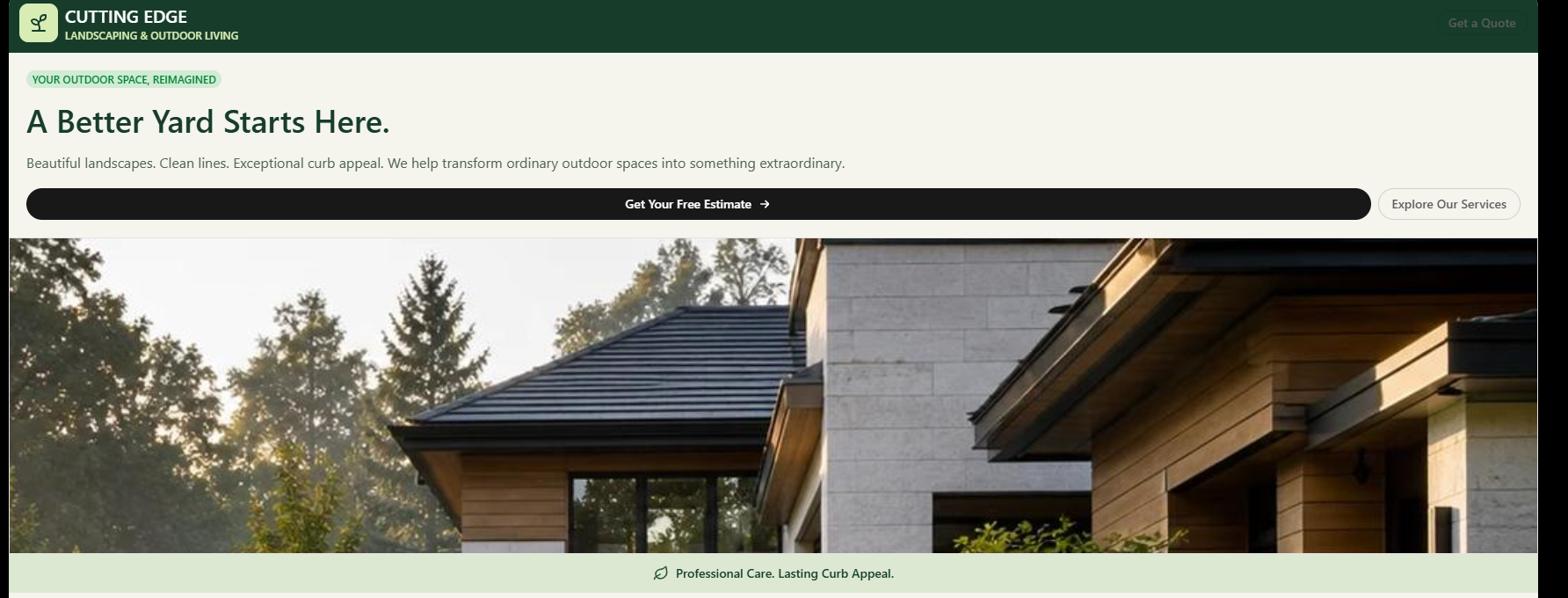
What ChatGPT Can Actually Do
ChatGPT is a capable assistant for website work. Ask it and it will:
- Write the code: HTML, CSS, JavaScript, or React for a full page.
- Draft your copy: headlines, service descriptions, an About section, FAQs.
- Suggest a layout and color scheme based on your industry.
- Build a contact form. It can write the form itself, but sending submissions to your inbox requires a separate service it can't set up for you.
- Explain error messages when something breaks.
If you're comfortable copying code into files and following technical instructions, you can get a basic page running in an afternoon.
The Catch: A Website Is Built in Order, Not in One Prompt
Most people learn this too late. There's a systematic way to build a website, and each step depends on the one before it:
- Goal: What should a visitor do: call, book, buy, or request a quote?
- Customer: Who's searching for you, what are they worried about, and what do they need to see before they trust you?
- Structure: Which pages exist, what goes on each one, and in what order.
- Copy: Plain-language wording written for that customer.
- Design: Layout, spacing, and visual hierarchy that point toward the goal.
- Build: The code itself.
- Search setup: Page titles, descriptions, structured data, and a connection to your Google Business Profile.
- Launch: Domain, hosting, security certificate, working forms, analytics.
- Upkeep: Updates, backups, and fixes when something breaks.
ChatGPT handles step 6 well and helps with step 4. But it answers the question you ask. It won't stop you and ask who your customer is, what makes your phone ring, or why visitors are leaving. If you skip steps 1 through 3, you get code built on guesses.
Three Things a "Pretty Layout" Doesn't Guarantee
1. It doesn't guarantee traffic
Search engines don't rank a site because it looks good. They rank pages they can read, understand, and trust. That means accurate page titles, location signals, structured data, and content that answers what people search for.
There's also a technical trap. Many AI-generated sites are built as JavaScript apps, where the page content loads only after the site opens in a browser. It looks perfect to you, but Google may read it late, and AI search tools like ChatGPT search and Perplexity often can't read it at all. To them, your page is a title and a blank space. We caught this exact issue on our own site this year. It's easy to miss because nothing looks wrong.
2. It doesn't guarantee visitors become customers
A visitor decides within seconds whether to call you or hit the back button. What keeps them comes down to specific decisions:
- Is the phone number tappable at the top of the screen on a phone?
- Is there one clear next step, or five competing buttons?
- Can they see proof: reviews, licensing, your service area, real photos?
- Does the page load fast on a cell connection?
ChatGPT's default layout is a big headline, three feature boxes, and a testimonials section. That's the average of every website it has seen, and average doesn't get you hired over a competitor.
3. It doesn't guarantee the site you pictured
This is where most DIY attempts stall. You ask for a change, and it rewrites something you liked. You fix that, and the mobile layout breaks. Twenty prompts later you settle for "close enough" because you're tired of asking.
The less you're involved in the design decisions, the more your site will look like a generic template. ChatGPT doesn't know your business, your customers, or your town. It fills every gap with the safest, most common option.
What It Really Costs to Build a Website with ChatGPT
The subscription is the cheap part. You'll also need:
- A domain name, usually $10–$20 a year.
- Hosting to put the site on the internet.
- A form service so contact submissions actually reach you.
- Your time, which is the biggest cost.
To get from ChatGPT's code to a live site, you'll be learning terms like DNS, deployment, SSL, build errors, and repositories, usually at night after a full workday. Each mistake costs hours, and the ones that hurt most, like a site search engines can't read or a form that silently fails, don't show up as errors at all.
When ChatGPT Is the Right Call
Be honest with yourself about which group you're in.
ChatGPT is a reasonable choice if:
- You're comfortable with technical tools and enjoy learning them.
- You need a simple placeholder page while you get started.
- You're testing an idea before investing in it.
Bring in a web designer if:
- Your website is how new customers find you.
- You need the site to produce calls, bookings, or sales.
- Your time is better spent running your business than learning to code.
Where a Local Web Designer Fits
A good designer doesn't replace AI. We use it too. The difference is that a designer brings the decisions ChatGPT can't make: who your customer is, what they need to see, and how the site should be structured to get found and get chosen. That saves you from the slow, frustrating mistakes that come with learning web development from scratch.
For Dayton-area businesses in Kettering, Centerville, Beavercreek, Huber Heights, and the rest of the Miami Valley, a local designer also knows how your customers search, which neighborhoods matter, and how to connect your site to your Google Business Profile so you show up on the map.
At Lopez Web Design, builds are flat-rate with no retainers: one-page lead-capture sites start at $1,000. See what a fair website price looks like in 2026.
Already built a site with ChatGPT? Send it to us. We'll review it for free and tell you what's working, what search engines can't see, and what's costing you calls. Get a Free Website Audit →
Frequently Asked Questions
Can AI really build me a website?
Yes. AI tools can produce a working website, including the code, layout, and written content. What AI can't supply is the judgment behind it: who your customers are, what they need to see before they call, and how the site should be structured to show up in search. Those decisions determine whether the site brings in business.
How do I get ChatGPT to make me a website?
Start by telling ChatGPT about your business, your customers, and the one action you want visitors to take. Ask it to outline the pages first, then write the copy, then generate the code one page at a time. You'll still need to buy a domain, choose hosting, upload the files, and connect a form service before the site goes live.
How long does it take ChatGPT to create a website?
ChatGPT can generate the code for a simple one-page site in a few minutes. Getting that site live takes longer. For most non-technical owners, setting up the domain, hosting, and forms and fixing what breaks takes a weekend or more. Planning the structure, copy, and search setup properly adds days to weeks, with or without AI.
Can ChatGPT design a website?
ChatGPT can suggest layouts, color schemes, and page sections, and it can write the code to build them. What it can't do on its own is make design decisions based on your customers and goals. Without that direction, it defaults to a generic layout similar to thousands of other sites.
Is there a ChatGPT website builder?
ChatGPT isn't a website builder in the way Wix or Squarespace is. It writes code and copy, but it doesn't host your site, connect your domain, or publish anything. You'll still need hosting, a domain, and some technical setup to get a ChatGPT-built site live.
Can ChatGPT publish or host my website?
No. ChatGPT produces the files, but you have to put them on a hosting service and connect your domain yourself. That step, along with setting up working contact forms and a security certificate, is where most people get stuck.
Will a website built with ChatGPT rank on Google?
It can, but not automatically. Ranking depends on page titles, local signals, content that answers real searches, and code that search engines can actually read. Many AI-generated sites load their content with JavaScript, which Google reads late and AI search tools often can't read at all.
Is it legal to use AI to create a website?
Yes, using AI to build a website is legal. A few things to know. In the U.S., content generated entirely by AI generally can't be copyrighted, so your own edits and original writing matter. You're responsible if the AI reproduces someone else's text or images. The usual rules for business websites, like privacy policies and accessibility, still apply. For specifics, talk to an attorney.
Should I use ChatGPT or hire a web designer?
Use ChatGPT if you're technical, have the time, and need something simple. Hire a designer if your website needs to bring in customers and you'd rather spend your hours running your business. Many owners use both: ChatGPT for drafting copy, and a designer for the structure and build.
More Field Manuals
More practical field reports for business owners navigating their digital terrain.
The Hidden Costs of DIY Web Design: Is It Actually Cheaper?
The true cost of DIY website builders: domains, SEO, analytics, and why free tiers end up costing time and revenue.
Read the GuideWhat Is a Fair Price for a Website? A 2026 Cost Breakdown for Dayton-Area Businesses
A fair price for a small business website is $2,500–$5,000 for most Dayton-area businesses. See real 2026 pricing by provider, site type, and monthly costs.
Read the GuideThe Web Design Blueprint for Dayton Handymen and Contractors
A no-fluff blueprint for trades and contractors: mobile-first sites that turn "near me" searches into booked jobs, built for owners who live on calls and referrals.
Read the GuideGoogle Business Profile Optimization Checklist (2026)
A free, step-by-step Google Business Profile checklist for local businesses. What to fill out, what to avoid, and how to rank higher on Google Maps.
Read the GuideIs Your Law Firm's Website an ADA Lawsuit Waiting to Happen?
ADA website lawsuits hit a 27% increase in 2025. See what actually protects your Ohio law firm, and why widgets and one-time fixes won't cut it.
Read the GuideI Audited 7 Dayton Contractor Websites. Here's What Broke.
Seven Dayton-area contractor sites, seven owners with good reviews, and the same handful of problems on nearly every one.
Read the GuideBuilding a Local E-Commerce Engine: How Dayton Shops Can Start Selling Online
How Dayton shops can start selling online: the four pillars (storefront, inventory, shipping, payments), real costs, and a playbook that fits how you already run your store.
Read the GuideWhat a Custom E-Commerce Website Actually Costs in Dayton (No Games, No Surprises)
Real, flat-rate pricing for custom e-commerce websites in Dayton, Ohio. No hourly billing, no hidden fees, no retainer traps.
Read the GuideThe Digital Oil Change: Why Your Dayton Business Needs Regular Website Maintenance
Ongoing website maintenance as a local service. We handle security, backups, and performance for Dayton businesses so your site stays reliable while you run the job. Predictable care beats $3K+ emergencies.
Read the GuideThe Dayton Shop-Owner's Manual
Repair your Dayton online store: leaky checkouts, broken mobile shops, and affordable e-commerce fixes. Field guide for local retailers selling online in 2026.
Read the Guide