Google Business Profile Optimization Checklist (2026)

2026-10-14 · By Reuben Lopez · Estimated 14 min read

Google Business Profile Optimization Checklist (2026)

Google ranks local businesses on three things: relevance, distance, and prominence. You can't change how far you are from a customer. Everything else on this checklist improves the other two, and every step is free. Most of it takes an afternoon.

For most local businesses, your Google Business Profile brings in more calls than your website. When someone searches "lawn care near me," Google shows a map with three businesses before it shows a single website. This is the 80/20 of local search: a small amount of work on your profile drives most of your visibility. Start here.

The Checklist at a Glance

#StepTimeHow often
1Claim and verify your profile10 min + verification waitOnce
2Pick the right primary category5 minOnce
3Add relevant secondary categories10 minOnce
4List every service with a description30–60 minOnce, update as needed
5Add products, even for services30 minOnce, refresh seasonally
6Write a plain-language description20 minOnce
7Set your service area, hide your address10 minOnce
8Keep hours and holiday hours current5 minBefore every holiday
9Upload photos of your work, vehicles, and team15 minMonthly
10Ask every customer for a review15 min to set upEvery job
11Reply to every review5 minWeekly
12Post an update15 minWeekly
13Match your name, address, and phone everywhere1–2 hoursOnce, recheck yearly
14Make your website back up your profileVariesOnce
15Check your Performance report15 minMonthly

1. Claim and Verify Your Profile

It's one of the easiest steps and one of the most important. You'd be surprised how many businesses have had someone else take control of their profile, and getting it back means weeks of appeals before the profile is restored and verified. Save yourself the headache: verify as soon as you create your profile, using whichever method Google offers (video, phone, text, or email).

Once you're verified, protect it. Turn on two-step verification for the Google account that owns the profile, and add a second owner you trust so you're never locked out.

2. Pick the Right Primary Category

Your primary category is the single biggest factor in whether the right customers find you. Categories that sound alike can mean completely different businesses, so choose carefully.

Say you run a landscaping company. You type "lawn" into the category field and, in a hurry, pick Lawn mower repair service instead of Lawn care service. Now Google shows you to other landscapers whose equipment needs fixing, not homeowners who need their yard done. One wrong click sends your profile to the wrong customers.

Look up what your top local competitors use as their primary category. If they're getting the calls you want, their category is a strong clue.

3. Add Relevant Secondary Categories

Google lets you add up to nine secondary categories, but more isn't better. Pick only the few that match services you actually offer and want to be found for. A landscaping company might add Landscaper and Snow removal service, but not every loosely related category on the list. Irrelevant categories bring irrelevant searches.

Not sure which categories your customers are actually searching? That's the first thing we research in The Signpost.

4. List Every Service with a Short Description

This is where I see most local businesses fall short. They list one or two services and leave the descriptions blank. Every service you offer is another way for a customer's search to match your profile.

List every service, and give each one a short, specific description of what's included, plus price and timeline when it makes sense. "Mulch installation: we remove old mulch, edge your beds, and lay fresh hardwood mulch. Most homes done in one day."

5. Add Products, Even for Service Businesses

This is an opportunity most service businesses miss. You don't need a physical product. Use the Products section to show your services in action.

A landscaping company with a mulching service can reuse the description from the Services section and add a photo of the crew doing the job. It takes a few minutes, it fills out your profile, and it shows customers real work instead of a text list.

6. Write a Plain-Language Business Description

Skip the jargon. Write as if your customer has no idea what any of your equipment does, because they don't. The moment you start talking about zero-turn mowers or specialty mulch blends, you've lost them. They want the job done right. Write from that point of view: what you do, where you do it, and why people choose you.

7. Set Your Service Area and Hide Your Address

This is one of the most misunderstood parts of the profile. If customers don't come to your location, set up as a service-area business. Google will still ask for an address to verify you, but you can hide it so it never appears publicly. Then list the cities or ZIP codes you serve.

If you don't have a physical location, don't make one up or use a mailbox store or virtual office address. It breaks Google's guidelines and can get your profile suspended.

8. Keep Hours and Holiday Hours Current

Simple, but easy to get wrong. Double-check that your hours are right, that you haven't mixed up a.m. and p.m., and that holiday hours are set before every holiday. These mistakes slip in when you're rushing to finish the profile, and a customer who shows up or calls when you're "open" but closed doesn't come back.

9. Upload Photos of Your Work, Vehicles, and Team

Real photos build trust. They show customers they'll be working with real people who do real work. Add new photos regularly: finished jobs, your trucks with your logo, your crew on site. Skip stock photos. Customers can tell.

10. Ask Every Customer for a Review

Reviews are one of the strongest signals of prominence. Ask every customer, right after the job is done, when they're happiest. Text them your direct review link (Google gives you one in your profile) so it takes one tap. Ask them to mention which service you did for them. Those details help your profile match future searches.

11. Reply to Every Review

Reply to every review, good and bad. Thank happy customers by name and mention the job. For negative reviews, stay calm, keep it short, and offer to make it right offline. Future customers read your replies as closely as the reviews.

12. Post Weekly

This doesn't have to become a second full-time job. One post a week shows customers, and Google, that you're active and busy. Share a finished project, a seasonal reminder ("Book fall cleanup before the leaves pile up"), or a special offer.

13. Match Your Name, Address, and Phone Number Everywhere

Sounds easy until you remember you changed your business name, moved, or switched phone numbers. Those inconsistencies add up across Google, Yelp, Facebook, directories, and your website, and they make it harder for Google and AI search tools to trust that all those listings are the same business.

Make sure your website, your Google profile, Yelp, and every directory listing show the exact same information. I audited seven Dayton contractor websites and found this problem on almost every one. Here's what was silently broken.

14. Make Your Website Back Up Your Profile

This is the hardest step, and one of the most important. Google and AI search tools check your website to confirm what your profile says. If your profile lists six services and your website mentions two, that's a mismatch. Each main service should have content on your site, and your site should have structured data (schema) that tells search engines exactly what you do and where.

This is where hiring a local expert saves you time and money, so you can focus on your customers. AI SEO Services covers both your profile and your website.

15. Check Your Performance Monthly

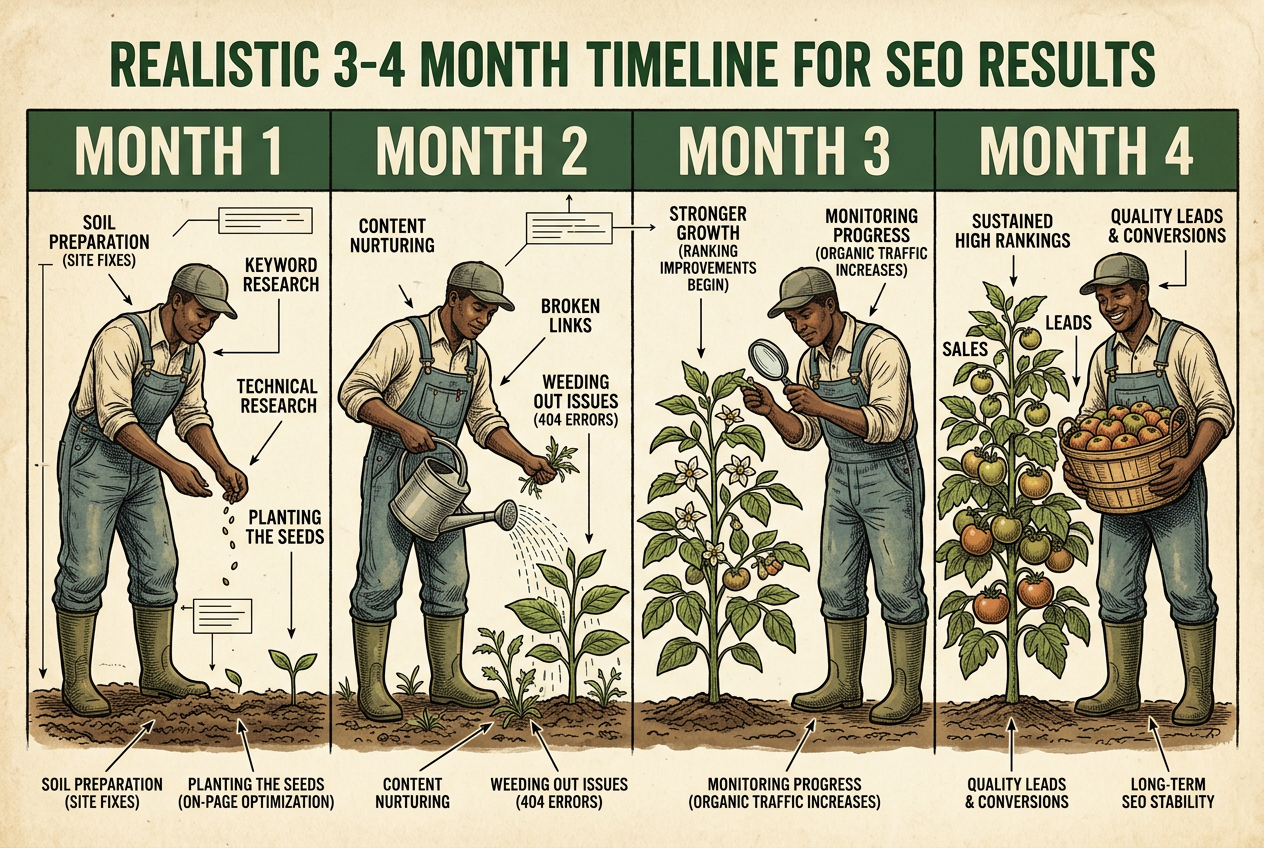
Your profile's Performance report shows how many people found you, what they searched, and how many called or asked for directions. Results vary a lot depending on how competitive your industry is and how complete your profile is. Check monthly. Like most SEO, it can take 3–6 months to see meaningful results, so look for the trend, not a single month.

What Not to Do

Any of these can get your profile suspended:

  • Stuffing keywords into your business name. "Smith Landscaping" is fine. "Smith Landscaping Best Lawn Care Dayton" isn't.
  • Buying reviews or posting fake ones.
  • Offering rewards or discounts in exchange for reviews.
  • Using a mailbox store, virtual office, or address where you don't work.
  • Creating more than one profile for the same business.

Want It Done for You?

Every step here is free, but it takes time, and the research behind steps 2 through 4 is where most owners guess wrong. The Signpost is a one-time $400 Google Business Profile optimization. I research what your customers actually search for, update your categories, services, products, and description, set up your review request system, and hand you a 30-day post plan. You approve every change before it goes live.

Frequently Asked Questions

Can I pay Google to rank higher?

No. Google doesn't sell rankings in regular search results or Google Maps. You can pay for ads, including Google Ads and Local Services Ads, which appear above or beside the free results with a "Sponsored" label. Free rankings are earned through relevance, distance, and prominence: an accurate, active profile, good reviews, and a website that backs it up.

How do I check where I rank on Google for free?

Search your main service in a private browser window, like "lawn care Kettering." Map rankings change with the searcher's location, so one search won't show the full picture. Your profile's Performance report shows the searches people used to find you, and Google Search Console shows your website's average position for each search term. Both are free.

How do I rank higher on Google Maps?

Focus on what you control. Choose the most accurate primary category, list every service you offer, keep your hours and details current, and earn a steady stream of reviews. Post regularly and make sure your website matches your profile. Distance from the searcher also matters, but you can't change it, so put your effort into relevance and reputation.

How do I get more Google reviews?

Ask every customer, every time, right after the job is done, when they're happiest. Send your direct review link by text so it takes one tap. Ask them to mention the service you did for them. Reply to every review. Never buy reviews or offer rewards for them. A steady flow of genuine reviews counts for more than a big number all at once.

Can I optimize my Google Business Profile myself?

Yes. Every step on this checklist is free and can be done from your phone or computer in an afternoon. The hard part is knowing which categories and services match what your customers actually search for, and keeping the profile active every week. If you'd rather have it done for you, that's what The Signpost is for.

How much does Google Business Profile optimization cost?

Doing it yourself is free. Hiring someone ranges widely, from one-time setups to monthly management plans. Lopez Web Design's Signpost is a one-time $400 optimization: search research, updated categories and services, a review request system, and a 30-day post plan.

Not Sure Where Your Profile Stands?

Request a free audit and I'll email you annotated screenshots of your Google Business Profile and website: what's working, what's missing, and what's costing you calls. No pitch.

More Field Manuals

More practical field reports for business owners navigating their digital terrain.

The Web Design Blueprint for Dayton Handymen and Contractors

A no-fluff blueprint for trades and contractors: mobile-first sites that turn "near me" searches into booked jobs, built for owners who live on calls and referrals.

Read the Guide

Can ChatGPT Build Me a Website?

Yes, ChatGPT can write a website's code and copy. But it won't bring traffic, convert visitors, or match your vision without a real design process.

Read the Guide

Is Your Law Firm's Website an ADA Lawsuit Waiting to Happen?

ADA website lawsuits hit a 27% increase in 2025. See what actually protects your Ohio law firm, and why widgets and one-time fixes won't cut it.

Read the Guide

I Audited 7 Dayton Contractor Websites. Here's What Broke.

Seven Dayton-area contractor sites, seven owners with good reviews, and the same handful of problems on nearly every one.

Read the Guide

What Is a Fair Price for a Website? A 2026 Cost Breakdown for Dayton-Area Businesses

A fair price for a small business website is $2,500–$5,000 for most Dayton-area businesses. See real 2026 pricing by provider, site type, and monthly costs.

Read the Guide

The Hidden Costs of DIY Web Design: Is It Actually Cheaper?

The true cost of DIY website builders: domains, SEO, analytics, and why free tiers end up costing time and revenue.

Read the Guide

Building a Local E-Commerce Engine: How Dayton Shops Can Start Selling Online

How Dayton shops can start selling online: the four pillars (storefront, inventory, shipping, payments), real costs, and a playbook that fits how you already run your store.

Read the Guide

What a Custom E-Commerce Website Actually Costs in Dayton (No Games, No Surprises)

Real, flat-rate pricing for custom e-commerce websites in Dayton, Ohio. No hourly billing, no hidden fees, no retainer traps.

Read the Guide

The Digital Oil Change: Why Your Dayton Business Needs Regular Website Maintenance

Ongoing website maintenance as a local service. We handle security, backups, and performance for Dayton businesses so your site stays reliable while you run the job. Predictable care beats $3K+ emergencies.

Read the Guide

The Dayton Shop-Owner's Manual

Repair your Dayton online store: leaky checkouts, broken mobile shops, and affordable e-commerce fixes. Field guide for local retailers selling online in 2026.

Read the Guide